As per requirement, we need to change all client windows (XP, and 2003) desktop BG color, but it’s impossible to change BG colour manually over 1000 desktop. So, we have to do it with an automatic process.
First we have to find out what happened on registry, while we changing Desktop BG color, and to do so, we need a tools which take a Windows Registry Snap after and before changing desktop BG color,
RegShot is the best free tools for that,
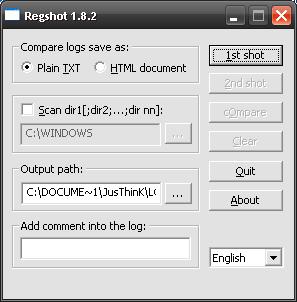
Download:
 RegShot (89.2 KiB, 698 hits)
So, finally we able to trace out that registry change,
[HKEY_CURRENT_USERControl PanelColors]
"Background"="26 26 26"
Initially we add an extra line on logon script, to change desktop BG color to black,
REG ADD "HKCUControl PanelColors" /v Background /t REG_SZ /d "0 0 0" /fIt works fine on all Windows XP Machine, but not with few Windows 2000 computer, in that case we are searching for some alternative solution,
Now we decided to create a ADM file for custom group policy, to force BG color change via GPO.
And here we are, with the following adm file we can change BG color to Black, White, Red, Brown, Yellow, Green, Sky, Brown, Blue, Dark Blue, Pink, Grey… 😛
CLASS USER
	CATEGORY !!categoryname
		KEYNAME "Control PanelColors"
		POLICY !!policyname
	EXPLAIN !!explaintext
	PART !!labeltext DROPDOWNLIST REQUIRED
	VALUENAME "Background"
	ITEMLIST
	NAME "Normal" VALUE "0 128 128"
	NAME "Black" VALUE "0 0 0"
	NAME "White" VALUE "255 255 255"
	NAME "Red" VALUE "255 0 0"
	NAME "Brown" VALUE "128 0 0"
	NAME "Yellow" VALUE "255 255 0"
	NAME "Green" VALUE "0 128 0"
	NAME "Sky" VALUE "0 255 255"
	NAME "Brown" VALUE "0 0 255"
	NAME "Blue" VALUE "0 0 255"
	NAME "Dark Blue" VALUE "0 0 128"
	NAME "Pink" VALUE "255 0 255"
	NAME "Grey" VALUE "160 160 164"
	END ITEMLIST
END PART
END POLICY
END CATEGORY
[strings]
categoryname="Desktop BG Colour Changer"
policyname="Change the background color of the client computer via Group Policy"
explaintext="This policy sets the background color of the client computer. Custom Group Policy - https://technochat.in! By Saugata Datta."
labeltext="Select Colour"
A very good guide on Writing Custom ADM Files for System Policy Editor
If you want to do same, just download above desktopbgcolor.adm file.
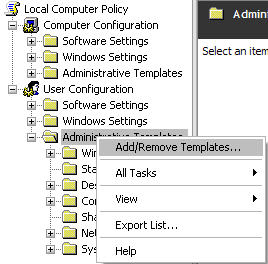
Open GP management console and add custom template from Add/Remove Templates…
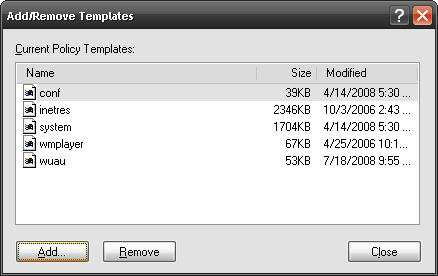
Click Add to select ADM file,
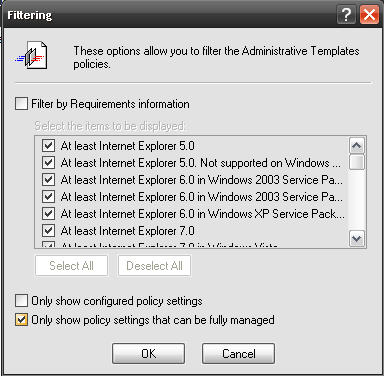
Now goto View>Filtering and remove last tick.
Now you can modify Policy settings.
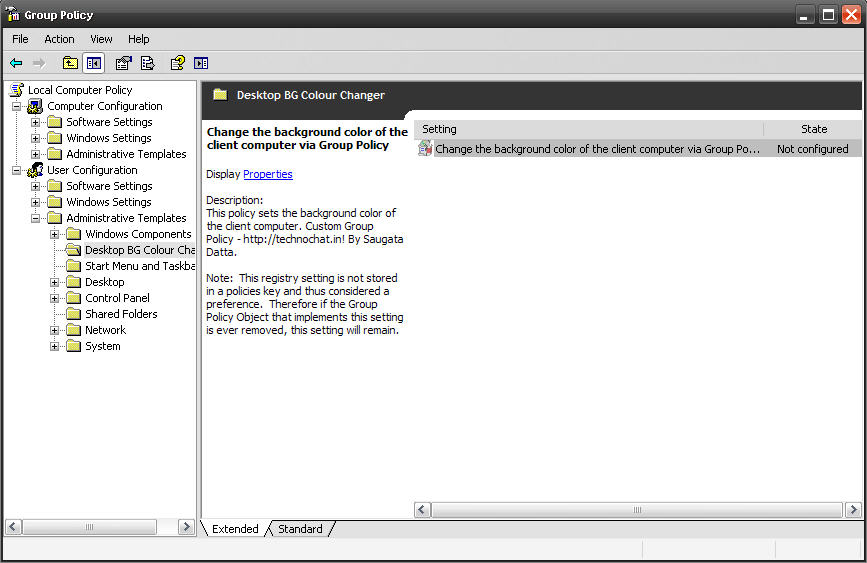
Enable policy if you want…
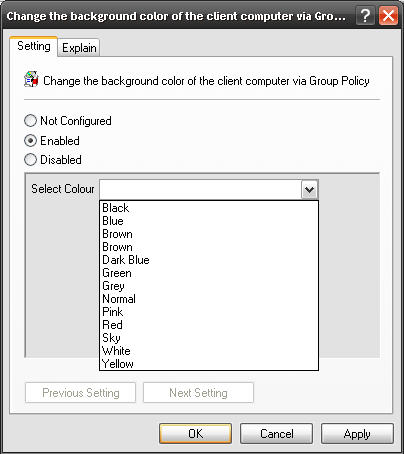
All done…
Thanks.
 Licensed under CC BY-ND 4.0 International

Ditching PsExec – Running Interactive SYSTEM Shells Natively in PowerShell
If you’ve spent any time in Windows System Administration over the last…

From The Blinking Cursor to The Thinking Machine: A Memoir of Automation
There is a specific kind of silence that only exists in a…

S3 Bucket Audit Report using AWS PowerShell Script – Secure your S3 Buckets
If you are working on AWS environment and if you follow…
Powerful AWS Bot for automation using Telegram Bot API written in PowerShell
Sometimes back I was working on a free notification system using Telegram…
Thanks for the info, thanks for saving my a$$ once again..
🙂
You Welcome.. 😛
Thanks, Saugata, great resource and did exactly what I needed.
Hello I try all of the steps and for some reason the policy is not been apply. I have enable the policy log of the user and log in back and nothing happens. The user is still eble to change the background color. Can any body help me with this..
after applying policy, on user desktop did u use
gpupdate /fore for forcing the policy..
Let me know..
Don’t work 🙁
It should be work.. try gpupdate /fore, after applying the policy on client.
100% working on all system..
This definitely helped me due to the fact I’m accomplishing a project and your weblog is so informative.numerous for that excellent photographs. Thank you and preserve up the admirable function.:)