Following things you need…
- Nokia PC Suite 7.1. **Don’t use OVI Suite.
http://nds1.nokia.com/files/support/global/phones/software/Nokia_PC_Suite_eng_web.exe - JAF v1.98.6
 JAF Setup (17.4 MiB, 3,657 hits)
 - PKEY Emulator v5
Following steps you have to follow…
- Install Nokia PC Suite 7.1 & Connect your Phone to finish installing all drivers and restart your system
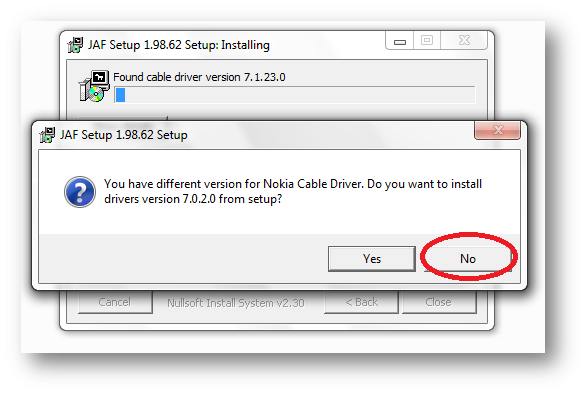
- Install JAF v1.98.62 after restart (But don’t install Nokia Cable Driver comes with JAF Installer).
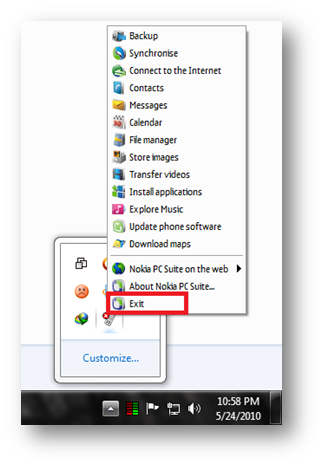
- Now close Nokia PC Suite from Task Manager before you connect your phone to your PC.
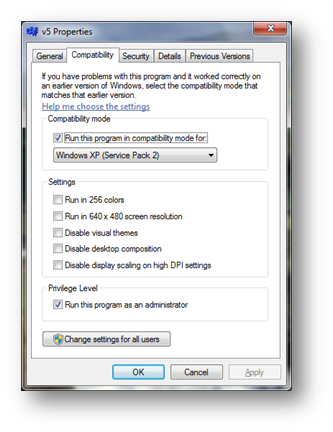
- Now you have to change Compatibility Mode on PKEY Emulator v5.
- Now start JAF using your PKEY Emulator v5.
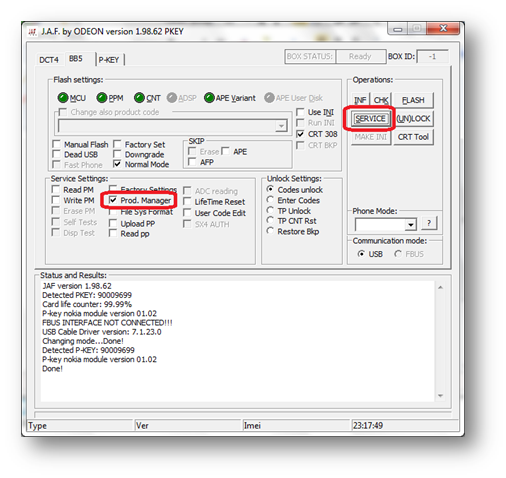
- To Check JAF is working or not, tick on Prod. Manager on JAF and click SERVICE Button.
[ad#av_post]
- Following windows will appear after clicking SERVICE Button.
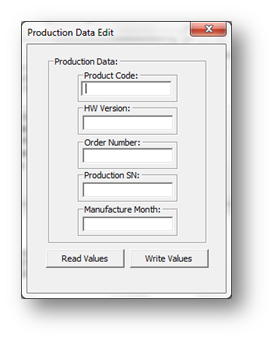
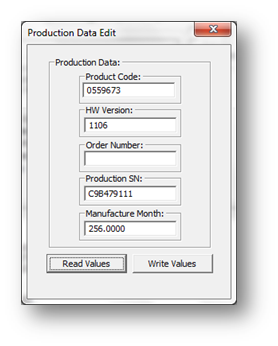
- Now click on Read Values Button, and after click you will get the values like following window, it means JAF is working fine.
[ad#av_post]
- Everything is SET. Now you can FLASH your Nokia Phone… 🙂
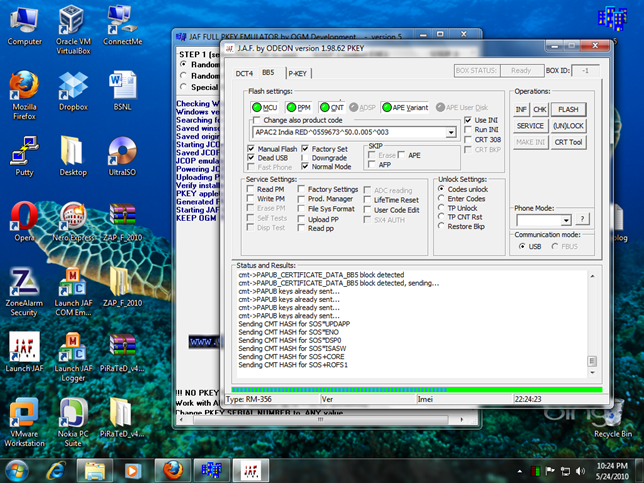
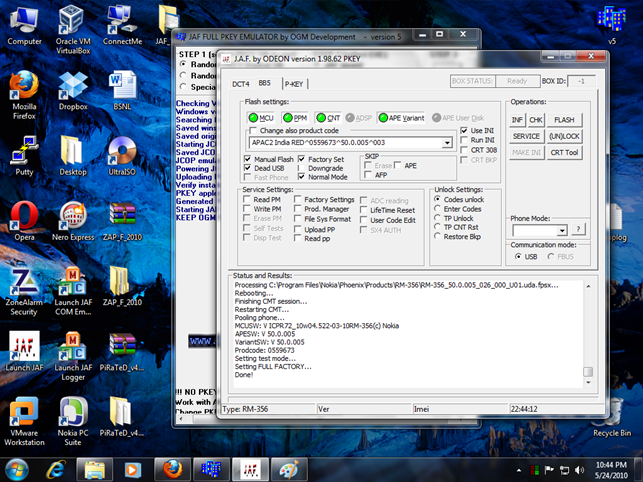
Flashing my 5800 on Windows 7…
Progress…….
Complete…….
[ad#av_post]
 Licensed under CC BY-ND 4.0 International
You Might Also Like

The Credential-Free Watchdog: Mastering Event-Driven App Automation
We have all been there. You are an automation lover. You have…
Microsoft Teams’ Efficiency Mode Arrives for Low‑End Devices
Microsoft is rolling out an Efficiency Mode for Microsoft Teams designed to…
How Attackers Abuse Microsoft Teams and Quick Assist: Inside the Helpdesk Impersonation Playbook
A new wave of attacks is quietly abusing everyday collaboration tools to…
New RDP Alert After April 2026 Security Update Warns of Unknown Connections
Microsoft’s April 2026 Patch Tuesday introduced a small-looking but important change to…
Hi I am trying with E71…..It has got security lock and I do not know what it is as my daughter was playing with it and did something wrong…
Also, I had re-formated my laptop to install windows 7 so I dont have my phone configured with Nokia PC suite (I get Nokia USB ROM driver error when I connect the phone)
Please guide me I am in vain and I dont have any service center near my home…
где можно скачать JAF на Windows 7. можно скинуть на [email protected] с инструкцией установкы. помогите зарание спасиба
When it starts, it say : system error 1 detected !!!
What does it mean ?
Hey.. Thanks a lot for your tutorial!!!! Now Im able to flash my phone in 7!!!!
Thanks alot. Cant believe my Jaf is now wotking on 7
Thanks a lot !!! 🙂
Thanks buddy..this helped a lot..tries a lot of things to run jaf nothing worked except this
Hello, can you please make a new link? The current one breaks at 200kb of downloading. thanks!
Which link you are talking about?
When I turn off my nokia and hit flash, than click the power button, windows starts installing drivers.
And that I get an error message saying that the drivers cannot be installed.
Now I tried again. Succes!
Good to know it works..
hey i downloaded jaf emulator but when i open it with win rar it has trojan viruse please help about this
plice update my jaf piky
is it possible to charge 5800 by usb connector like n97,e52???( with hack and other tools?)
Thanks !!!!!!
I’ve successfuly flashed my 5230 to C6 (pnht) !!!!
awesome tut man ……………
i tried installin d jaf software on my windows 7 bt without d box cos i dnt av d box. it did not install, i also tried installin mxkey on d same laptop, it is showing an error message. i have d box of d mxkey (like a flash drive). i dnt know if i nid an internet connection. pls help me.
Hey,
running windows 7 64bit, so i ran the software in Windows XP (SP2) mode and as administrator, but still get the error:
ERROR: Not supported Windows version
Any clues?
@oposum
This is for win 7 32 Bit
@Geo
This one don’t reqd any box, it’s soft edition
OK, got it running, but i forgot my E75’s phone code and i can’t get in and also JAF doesn’t recognize my phone – no communication.
Any clues?
@oposum
how did you get it run???? I´m still trying here 🙁
thank my jaf on windos 7
the vaLues does not came ….what to do now my jaf does not detect mcu file thats the problem i was using nokia 5233 mcu core file jaf does not detect it ????????????????plzzzzz help
NICE SIR GOOOOOOOD JOB
I can’t get pkey emulator to work. This is what happens when I click ‘GO’ :
Checking Windows version …
Windows version: Microsoft Windows XP Professional
Searching for JAF install location …
Saved winscard.dll to: C:Program FilesODEONJAFwinscard.dll
Saved original.dll to: C:Program FilesODEONJAForiginal.dll
Starting JCOP emulator …
Saved JCOP.EXE to: C:Program FilesODEONJAFJCOP.EXE
JCOP emulator started succesfull on port 8050
Powering JCOP simulator …
ERROR: JCSIMU_open_socket connect socket: 10061
ERROR: JCSIMU_reset_card initialize
ERROR: Cannot get ATR from JCOP simulator!
And after this when I open Jaf, i get a load of pop-ups one after the other…..any ideas on how to fix this??
PS: I have a bricked N73…trying to get it it working again….
did u followed all steps?
im not able to install jaf
error… the app ur tring to install is currupted or incmplete……
hey m not able to start jaf..
i used to use it initially for a year but now it jus wont start,
tried reinstalling jaf, pc suite, checked the compatiblity.. tried the setup given above..
still not working..
Please help..
jaf show error -can’t load winSCard.dll
what i do yaar
i am so confused.
awesome boss 01911788125 work 10%
still get error not supported windows version though i’ve used win 7 ultimate 32bit running compability mode in win xp sp 2 and 3.
excellent points altogether, you just received a emblem new
reader. What may you recommend in regards to your post
that you made a few days ago? Any certain?
I LIKE
Is very Good…