5Nov/0812
Configure Cluster on VMWare Workstation / Virtual PC using iSCSI
Requirments :
iSCSI Target
iSCSI Initiator
VMWare Workstation / Virtual PC
iSCSI Target : For iSCSI Target I used StarWind and install it on my Host PC. There are another tools available for the same, you may use that also, ie iSCSI Cake.
iSCSI Initiator : There are two fine iSCSI Initiator available, I used both of them to connect iSCSI Device on Guest OS
Microsoft iSCSI Software Initiator
VMWare Workstation / Virtual PC : You need 3 Windows 2003 Guest OS, one for AD and two for Cluster Node.
Basic Steps I Follow:
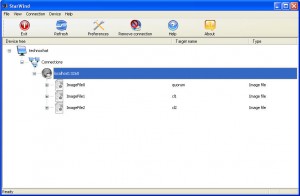
- On the host pc (my desktop), I install StarWind iSCSI.
- Create image file for Quorum and other Disk.
- In the guest operating systems, I install both StarPort and Microsoft Initiator 2.07, but you can install any one of them, don’t have to install both.
- In the both guest operating system, I configure StarPort for first 3 iSCSI Device and configure Microsoft Initiator for last iSCSI Device.
- Now I get 4 SCSI disks in Windows 2003 Guest OS , format and assign a drive letter.

